Products & Technology · Design, setup & rental

Picture your
next event.

A stage people can see. Sound they can hear. Screens, lighting and cameras that bring the whole event together.

For small and midsize shows, including events planned for around 2,000–3,000 guests.

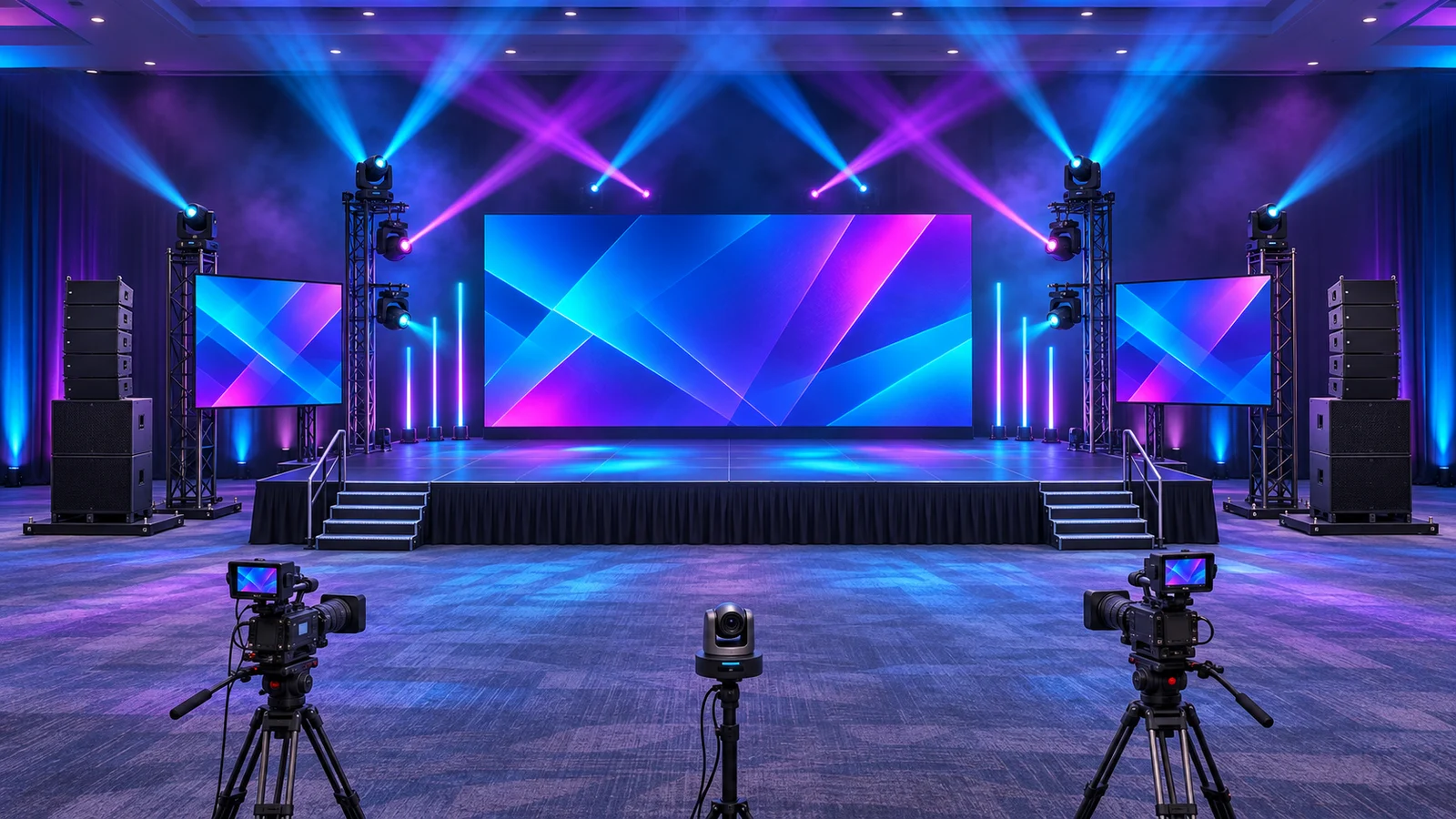
Illustrative full-show stage design with LED screens, moving lights, speaker systems and production cameras
Stage design concept · Illustrative equipment and layout

Start with the experience

Different events.
Different setups.

You don’t need to know the equipment names. Choose a look that feels close to your event and we’ll help build the right plan.

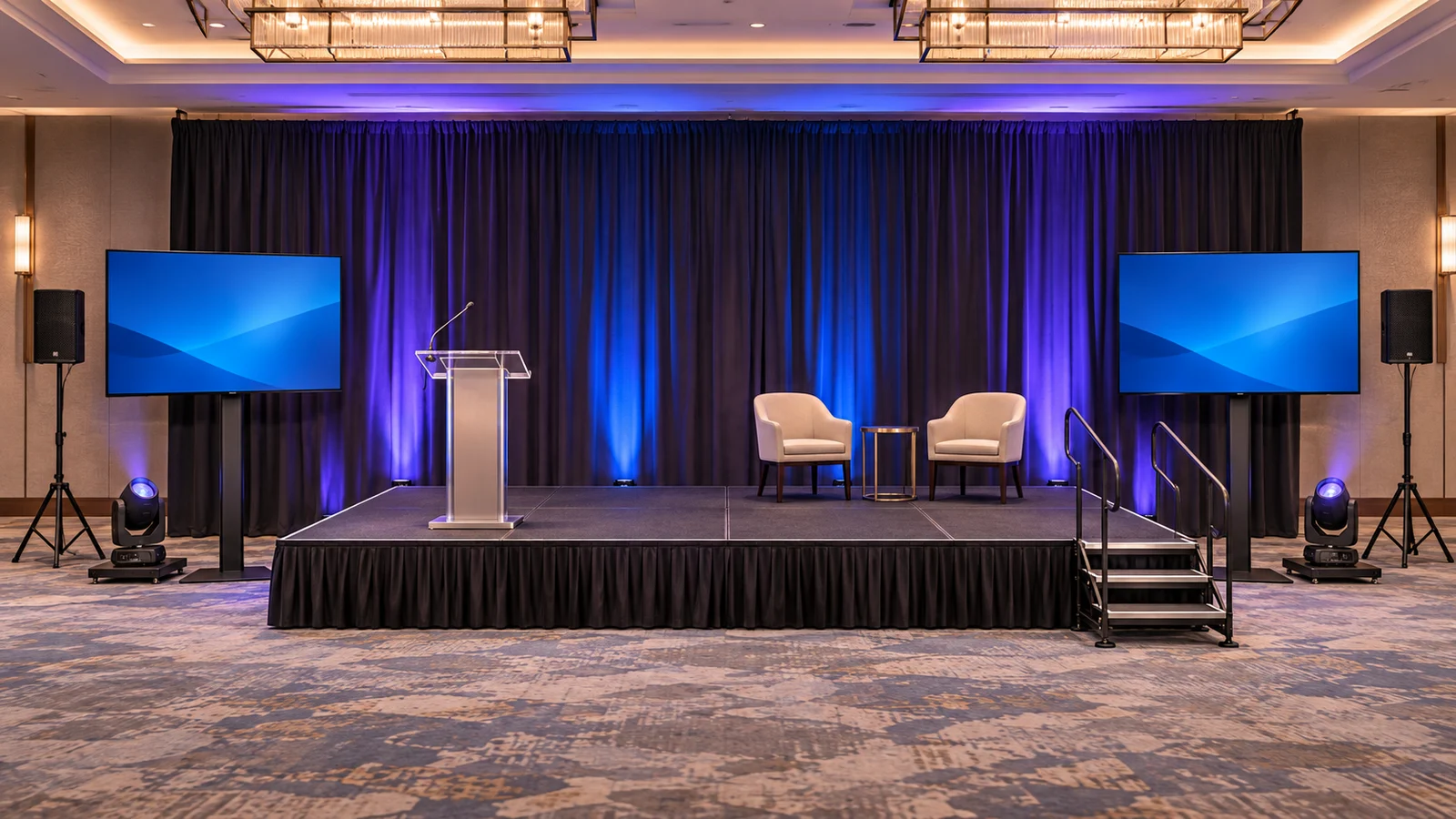
Illustrative presentation stage with a lectern, discussion chairs, two TVs on floor stands, speakers and blue uplighting
Design visualization · A starting point for your event

Presentation

Clear, polished and easy to follow.

For meetings, panels, awards and community presentations. Keep attention on the people speaking and make slides easy to see.

  • A platform planned for speakers or a panel
  • Two audience speakers and microphones
  • TV displays beside the stage
  • Neutral face lighting and color accents
Plan this kind of event

Examples show what’s possible. Your proposal confirms equipment, sizes, availability, delivery and crew. Audience count is a starting point; the venue, audience area and program determine the final system.

Staging rental & installation

A platform for
your program.

A raised stage helps guests see your speakers and performers. Choose a footprint, then plan its height, access and finish around your space.

16 ft across12 ft deepTOP VIEW · LAYOUT ILLUSTRATION

Your selected stage

12 × 16 ft

A discussion panel, DJ, presentation or compact performance.

We can coordinate design, delivery, setup and rental. Discuss skirting, presenter furniture, steps, handrails and an accessible route as part of the layout.

Footprints are in feet. The illustrated orientation can be adapted to your room.

Ask about 12 × 16 ft
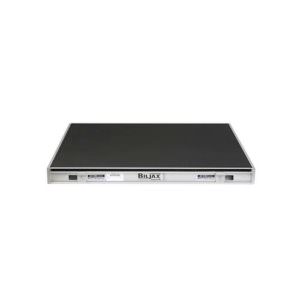
Bil-Jax AS2100 modular stage deck manufacturer reference

Manufacturer spotlight

Bil-Jax modular staging

AS2100 decks connect in 4 × 4 ft and 4 × 8 ft modules. That flexibility helps build speaking platforms, band stages and separate risers. The platform, legs, access and finishing pieces are planned together.

Explore Bil-Jax event systems

Bil-Jax product image: manufacturer reference. Stage option images above were supplied by Blueprint.

What goes into a complete stage plan?

Who and what will be on stage, the platform height, stable and level support, access, stairs, rails and edge protection where required. Outdoor shows also need a ground and weather plan. Roofs, lighting structures and LED-wall supports are designed separately from the platform.

Audio rental & setup

Help every guest
hear the moment.

Sound systems do different jobs. Clear speech, a full band and a long audience area need different speaker choices and placements.

STAGETOP VIEW · COVERAGE ILLUSTRATION

Speech & presentations

A microphone and compact mixer feed two speakers on stands. It’s a clean starting point for meetings, ceremonies and announcements.

  • Microphones for the people speaking
  • A mixer to balance voices and playback
  • Speaker placement matched to the room
Ask about this setup

Main speakers

Carry voices and most of the music to the audience.

Subwoofers

Add the deep bass you feel in music and drums.

Stage monitors

Let performers hear the mix they need on stage.

For an event around 2,000–3,000 guests, we design coverage for the actual space. A line array is a purpose-built speaker system, not a stack of ordinary speakers. More boxes alone do not guarantee better sound.

Manufacturer examples: QSC K.2 speakers · KS subwoofers · KLA line-array systems

Video walls, large TVs & mounts

Make it easy
to see the story.

Show slides, branding, videos or live camera shots. Screen size and position follow what your guests need to see and how far away they will sit.

Small panels become one large picture

LED video walls

Many small display panels join to make one large picture. Use a wall as a stage backdrop, a presentation screen or a live-camera display.

  • Choose a compact backdrop, wider stage wall or supporting side screens.
  • A processor fits your content to the panel layout.
  • Closer viewers need finer image detail; outdoor use needs suitable outdoor-rated equipment.

Plan an LED wall
Floor standRolling cart

Large TVs on mounts & stands

A simple option for meeting rooms, breakout sessions, lobbies, registration areas and screens beside a presenter.

  • Discuss 65, 75, 85 or 98-inch display options, subject to availability.
  • Choose a floor stand, rolling cart or approved mounted position.
  • Match the mount to the TV’s weight and bolt pattern; screen size alone is not enough.
Plan TV displays

What makes the picture work?

Your content comes from a laptop, media player or camera production system. Video processing and distribution send the right picture to each display. Panels, TVs and their supports put that picture where guests can see it.

Examples to explore: CHAUVET Professional REM 1 indoor LED wall · Chief Fusion display stands

Stage design & lighting packages

Set the tone.
Then change the look.

Front light reveals faces. Color shapes the room. Moving heads add direction, patterns and energy. A lighting controller changes the look to suit each part of the program.

LIGHTING ILLUSTRATION · FINAL LOOK IS VENUE-SPECIFIC

Color & movement

Front light · Moving wash/spot fixtures · Programmed looks. Fixture counts, mounting, power and control are sized to your stage and show.

Ask about this lighting look

Wash

A wide pool of color across people, scenery or the stage.

Spot

More focused light, often with projected textures or patterns.

Beam

A narrow shaft of light. Haze can reveal it where the venue permits.

The stage concepts at the top of this page show complete looks with lighting, scenic elements and screens. Illustrations are design ideas, not a specified rigging plan.

PTZ & tripod-mounted camera production

More angles.
One finished program.

Keep a wide view, capture a close-up and follow the action. We combine camera shots, slides and sound into a screen feed, recording or livestream.

Hybrid setup

Combine discreet PTZ angles with operator-controlled tripod cameras. A wide view protects the overall scene while close-ups follow the people and moments that matter.

Blueprint plans the camera positions, compatible connections, live switching, audio, monitoring and crew together.

Ask about this setup

Try the crew’s multiview · Select a camera

Audience sees: PTZ wideProgram output
Illustrative program output showing PTZ wide

Interactive illustration, not live camera footage. Multiview is the crew’s dashboard; guests normally see the selected program.

Capture

PTZ cameras, tripod cameras, microphones and slides.

Direct & mix

A switcher chooses shots. The crew monitors sources, graphics and sound.

Share

Send the finished program to venue screens, a recorder or an optional livestream.

A stream also needs a tested internet connection. Recording, streaming, screen feeds, camera count and crew are confirmed in your production plan.

Examples: Panasonic PTZ · Blackmagic Studio Camera · ATEM switching & multiview

Choose the support you need

Equipment.
Setup. Show crew.

Tell us whether you have your own production team or want Blueprint to handle the event from load-in through the last cue.

Equipment rental

For clients with an experienced team. Discuss the equipment, collection or delivery, connections and return plan.

Delivery & setup

We coordinate placement, assembly, wiring and system checks. Agree on who operates the equipment once setup is complete.

Full production

Combine design, equipment, setup, rehearsal and operators for sound, lighting, cameras or the complete show.

Start with what you know.

Share the date, venue or city, guest estimate, indoor/outdoor setting, program and budget. Add a reference picture if you have one. We’ll help translate your idea into a practical setup.

Build my event quote

Planning a permanent system instead? Explore church AV system design and training.

Get to know the equipment

The names behind
the technology.

These manufacturer references explain the equipment types. Exact models are chosen for your project and confirmed in your proposal.

Modular staging

Bil-Jax

AS2100 decks connect in modules, with 4 × 4 ft and 4 × 8 ft deck formats. Legs, access and finishing pieces complete the platform plan.

View manufacturer information

Speakers & subwoofers

QSC

K.2 powered speakers are compact audience-speaker or monitor examples. KS subwoofers add bass; purpose-built KLA arrays illustrate a different approach to coverage.

View manufacturer information

LED video walls

CHAUVET Professional

REM 1 is an indoor modular LED-wall example. Panels, support and a video processor work together to form a large screen.

View manufacturer information

Display mounts & stands

Chief / Legrand AV

Fusion carts and floor stands support portable display setups. The TV’s weight and mounting pattern determine the right support, along with its size.

View manufacturer information

Moving-head lighting

CHAUVET Professional

Rogue R2X Wash is a motorized color-wash example. A moving head changes direction; wash, spot and beam fixtures create different kinds of light.

View manufacturer information

PTZ camera systems

Panasonic

AW-series PTZ cameras provide remotely controlled angles and stored positions. Exact camera models and connections are chosen to match the production system.

View manufacturer information

Tripod cameras & live switching

Blackmagic Design

Studio Camera models support operator-led production. ATEM switchers select the live shot and provide a multiview screen for the crew.

View manufacturer information

Manufacturing Partners

  • Shure
  • Yamaha
  • DiGiCo
  • Blackmagic Design
  • Meyer Sound
  • JBL
  • dBTechnologies
  • Allen & Heath
  • Sennheiser
  • QSC
  • NovaStar
  • CHAUVET Professional
  • ADJ (American DJ)
  • Hog Lighting
  • MA Lighting / grandMA
  • Canon
  • ZOOM Audio
  • DJI
  • ETC Lighting
  • Electro-Voice
  • RCF
  • EasyWorship
  • ProPresenter
  • vMix
  • Pro Tools

Start a conversation

Let’s build your event setup.

Tell us what your guests need to hear, see and experience. Blueprint will help plan the equipment and the people to make it work.

Request a rental & setup quote